
How to Use AI to Grow Your Psychic Affiliate Website

Start with one decision your readers already face, such as choosing a first reading format or working out how much a session could cost. AI can help group questions, organize source notes and spot gaps in an existing page. Your job is to check the details, answer the decision clearly and track whether the page helps people take the next step.
Choose the reader decision and program together
A first-time visitor may want to know whether a remote reading can fit a set budget and a private setting. Someone who already knows tarot may be choosing between phone and chat. Give each article one decision you can state in a sentence. A good page can still help someone who decides to wait or leave.
Before you recommend an offer, check the pricing, available formats and policies the reader can see. Keep a separate note for publisher terms such as what counts as a qualified referral, how attribution works and how pending or reversed actions are reported. That separation makes it easier to choose a program without letting a payout decide where it appears. See the publisher guide to comparing psychic affiliate programs for more detail.
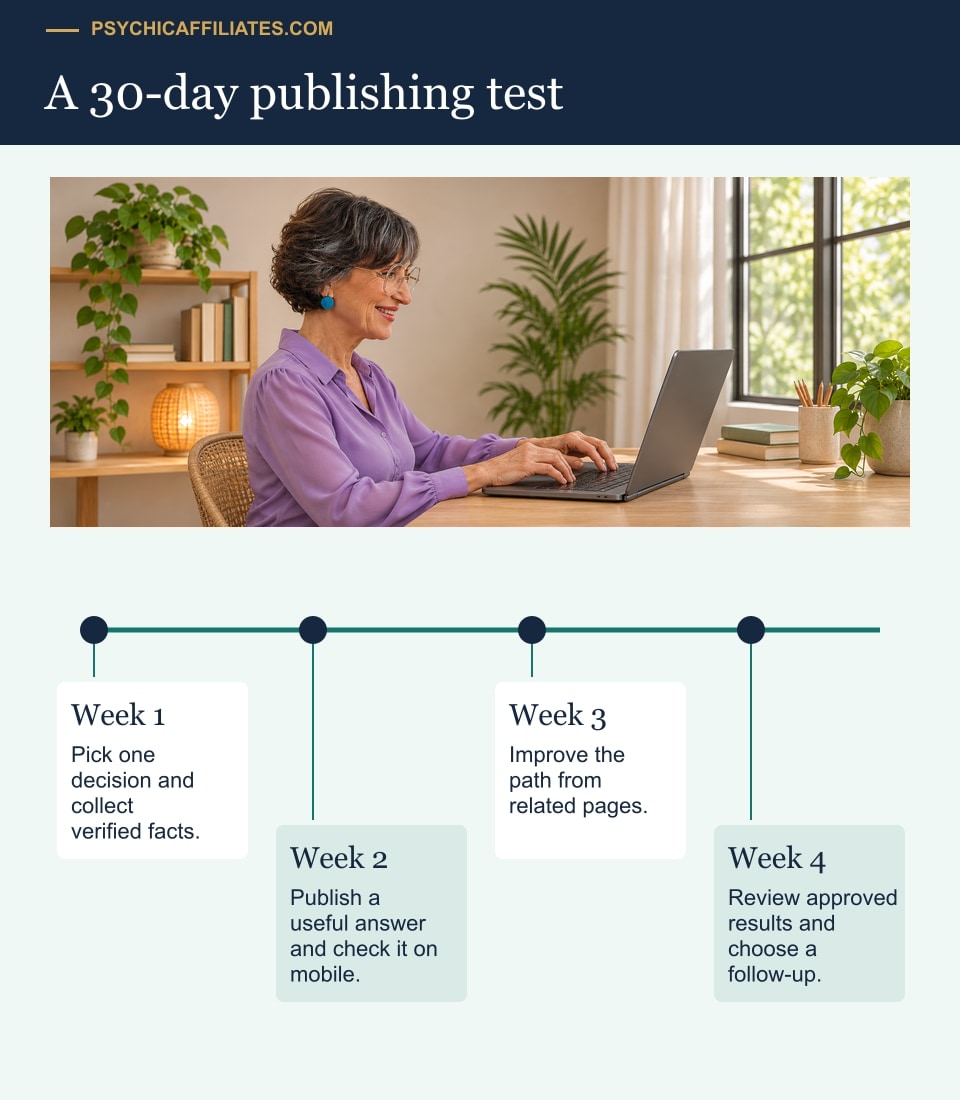
Read the visual guide as text
- Week 1. Pick one decision and collect verified facts.
- Week 2. Publish a useful answer and check it on mobile.
- Week 3. Improve the path from related pages.
- Week 4. Review approved results and choose a follow-up.
Keep a small file of questions, facts and changes
Start with questions from search reports, comments or your own pages. Remove names, messages and personal details, then group the questions by the decision they point to. Next, build a fact sheet with the page, what it says, the date you checked it and any unresolved detail. A basic spreadsheet or a text file is enough.
Try this prompt with approved notes: “Group these anonymous questions by decision. For each group, write a heading and list the facts needed to answer it. Use only the notes provided. Mark missing facts as ‘check source’ and preserve all price conditions.” A reviewer can compare each proposed claim with the original before drafting.
When a term changes, update the fact sheet first. Search the affected site for the old term and review every place that depends on it, including a cost example, FAQ, link label and email. For each, record the updated wording and date so the next review starts with the same information.

Make the first answer useful before the first offer
Suppose a reader wants a 15-minute chat and wants to know what a representative quote means. Show an illustrative calculation: at $4 per minute, 15 minutes costs $60 before any applicable taxes or extras. In the next sentence, say when a price can change, such as when a promotion ends or when a particular advisor charges a different rate. Then point to a useful next step, such as checking the actual quote and picking a stop time.
Follow a short internal path. A guide for first-time readers can link to a format comparison. The comparison can link to a cost example and booking conditions. Use link phrases that describe the destination so someone can choose without opening every page.
Google’s generative AI guidance emphasizes accuracy, quality and relevance. Its guidance on AI features in Search points to the same core SEO practices. Build a page that is easy to read and navigate, with clear headings, unique context and links that work.
Make review, privacy and disclosures part of the workflow
Keep private reader questions, conversation transcripts and account details out of general-purpose prompts. If your business uses email, collect permission, respect unsubscribe choices and check the wording before sending. A chat helper can show the next relevant page or explain a public term. Route sensitive personal questions to appropriate human support and give readers a way to leave the conversation.
Affiliate publishers with a material connection should make it clear near the affected recommendation or link. The FTC’s endorsement FAQ explains how placement and wording affect whether readers understand a disclosure. Ask a reviewer to open the mobile page and check what a reader actually sees before clicking.
Measure approved results and pick the next change
Record eligible link clicks, approved revenue and the time period. Match the time window to how long approval takes. For example, $120 in approved revenue from 100 clicks is $1.20 per click. A different page with $160 from 200 clicks earned more in total and $0.80 per click. Both numbers help explain the result. An increase in visits or clicks alone leaves the outcome open.
During week one, collect the questions and confirm terms. In week two, publish one answer and give it a mobile check. In week three, add one relevant internal link and review a handful of clicks through the path. In week four, compare the available results with the baseline. If the referral status is still pending, note that and set a follow-up date before drawing conclusions.
Frequently asked questions
1. What should I ask AI to do first?
Ask it to group anonymized questions around one reader decision and list the facts needed to answer it. Check the primary sources before drafting.
2. Can AI write an affiliate offer comparison?
It can help organize and edit supplied facts. A person should verify costs, terms, conditions and what the comparison claims.
3. What should stay out of an AI prompt?
Keep names, contact details, private messages, payment details and personal reading transcripts out of general-purpose AI tools.
4. How can I use AI for search visibility?
Use it to find missing questions, improve headings and review internal links. Confirm that the finished page has original value and accurate information.
5. Which metric is more useful than clicks alone?
Approved revenue per eligible click, evaluated alongside changes in approved volume, shows more about results than total clicks alone.

Leave a Reply
Want to join the discussion?Feel free to contribute!